


Coursera: Grow your career
4.35.64K Reviews
App Specs
- Version
- 6.10.0
- Updated On
- License
- Free
- Downloads
- 10,000,000+
- Developer
- Coursera, Inc.
- Categories
- Education
- Platform
- Android, iOS
Screenshots
 Analysis by AppCompare
When I want to learn something for work, the hard part is rarely finding a course. It’s choosing one that fits my goal, sticking with it around everyday commitments, and turning the lessons into something useful. Coursera is built for that longer journey: its Android and iOS app brings university and company-led learning into a format I can use in short sessions as well as focused study time.
Start with a goal, not the whole catalog
My best advice is to open the app with a specific question in mind. “I want to understand the basics of data analysis” is easier to act on than “I should learn something useful.” Coursera’s catalog spans professional subjects as well as broader interests, so a clear goal helps narrow the field before the number of options becomes distracting.
For example, if I’m considering a move into a new role, I’d first identify the skill that keeps appearing in job descriptions, then look for a course that addresses it at an appropriate level. A beginner course can help establish foundations; someone who already works with the subject may get more from an advanced option. This small bit of planning makes it easier to judge whether the course is a sensible next step rather than an appealing title.
Make the learning fit an ordinary day
A realistic routine matters more than an ambitious plan. I might watch a lecture during a quiet part of my commute, save a more demanding assignment for the evening, and use a spare weekend hour to revisit concepts that did not stick. The app’s mobile format is useful here because a course doesn’t have to compete with a large block of uninterrupted time every day.
That flexibility has a limit, though. Watching a lesson while distracted can feel productive without leaving much behind. I get more from a short session when I decide beforehand what I want to take away, pause to make a note, and use a quiz or assignment to check whether I understood the idea. For subjects that involve calculations, code, or detailed writing, I would treat the phone as a convenient place to follow lessons and review material, not automatically as the best workspace for every task.
Choose a course with the finish line in view
Before committing, I would check what the course actually asks me to do, not only what it promises to teach. Video lessons suit an introduction or a clear explanation, while quizzes provide quick checks of understanding. Peer-reviewed assignments and discussions can add practice and other learners’ perspectives, but they also mean that progress may depend on completing work beyond watching videos.
This is one useful way to compare Coursera with a quick tutorial or a general video platform. Those alternatives can be faster when I only need an answer to a narrow question. A structured course is more appealing when I want a sequence, practice, and a defined completion point. It takes more commitment, and a certificate alone does not guarantee that I can perform a new skill at work; the value depends on the effort I put into applying what I learn.
Worth Reading Before You Choose

EA SPORTS FC Mobile 26 Is a Bigger Football Game, but It Takes Time

Flipboard Shows What News Apps Must Do Beyond the Feed

Switching to Android Auto Means Rethinking Your Driving Routine

Google Calendar Makes a Crowded Week Easier to Manage

Ludo King Makes the Most of the Minutes Between Plans

Baby Panda World Brings Quick Play to Modern Phones, but Its Game Library Feels Busy
Keep the path manageable
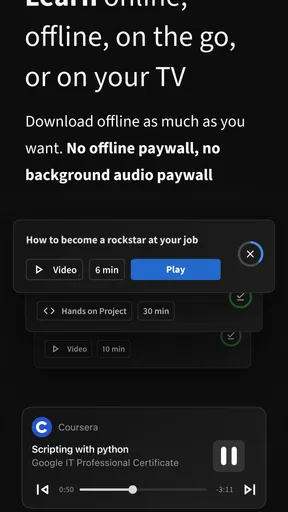
If my schedule is unpredictable, I would avoid signing up for several courses at once. A single course gives me a clearer way to notice whether the pace and teaching style suit me. I can then decide whether to continue, choose another level, or change direction. Downloading materials for offline access can help when connectivity is unreliable, while syncing between devices makes it practical to move from a phone to a larger screen when a task needs more room.
There is also a useful distinction between browsing for inspiration and choosing a course I intend to finish. Browsing can reveal subjects I had not considered, but too much comparison can become its own form of procrastination. I’d shortlist a few options, compare their level and learning activities, and choose the one that best matches the skill I actually need now.
Who is likely to get the most from it?
I’d recommend Coursera to curious learners who want a guided route through a subject, working adults who need flexible study sessions, and people exploring a career change who are prepared to practise rather than simply collect course completions. It can also suit someone who wants to test an interest before investing in a longer learning plan.
It is less compelling if all you need is a fast answer, if you prefer face-to-face teaching and direct instructor feedback, or if you know you will not make room for assignments and follow-up study. In those situations, a short reference video, a book, a local class, or a more hands-on training option may fit better. I would also treat peer discussion as a supplement, not a replacement for the focused help a learner may need on a difficult topic.
The Gateway to Learning
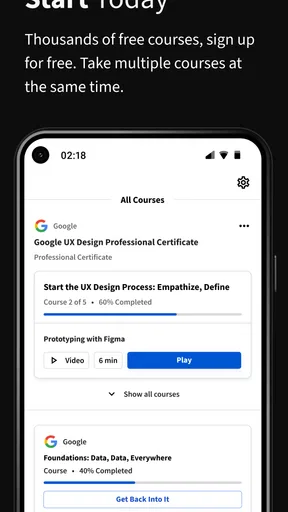
When I first opened the Coursera app, I was greeted by a sleek interface that immediately invited exploration. The homepage is filled with a variety of courses ranging from business to arts, tech to health, and everything in between. It felt like having a library at my fingertips, minus the dust and strict librarians.
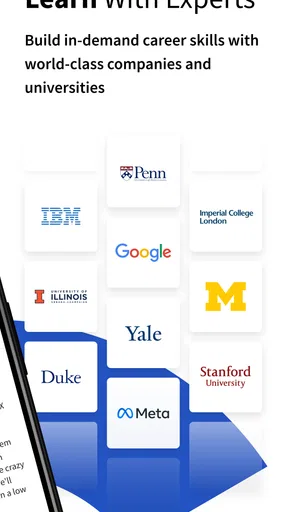
Getting started is as simple as creating an account or signing in if you're a returning learner. From there, you're just a few taps away from enrolling in courses offered by some of the world's leading universities and companies. It's like having a VIP pass to prestigious institutions without the hefty tuition fees.
Course Variety and Customization
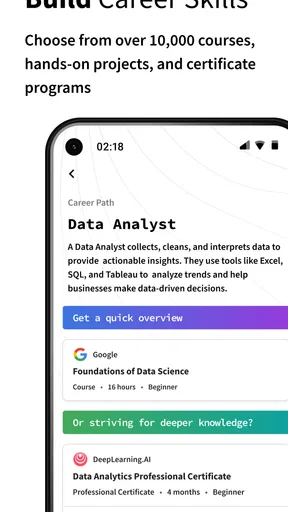
The app boasts a wide array of courses, covering a multitude of interests and professional fields. Whether you're looking to boost your skills in data science or explore the intricacies of Roman architecture, there's something for everyone.
What I found particularly appealing is the level of customization. You can filter courses by level (beginner, intermediate, advanced), language, and even select those that offer free trials or certificates. It's this level of personalization that makes learning both accessible and enjoyable.
Interactive Learning Experience
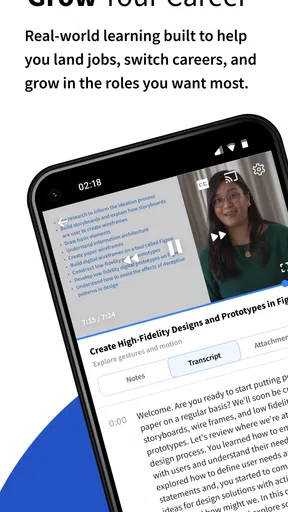
Once you dive into a course, you're not just passively watching videos. Coursera integrates quizzes, peer-reviewed assignments, and discussion forums to ensure you're actively engaging with the material. This interactive approach keeps you on your toes and helps reinforce what you’ve learned.
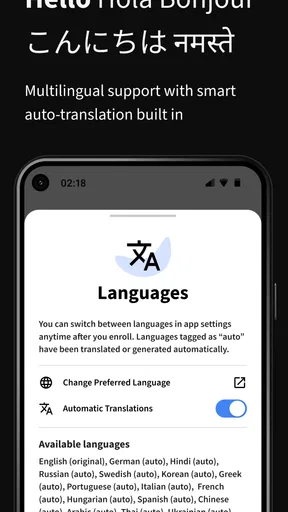
The video quality is top-notch, and most courses offer subtitles in multiple languages, which is a fantastic feature for non-native speakers. I found myself pausing and replaying sections to fully grasp complex topics, and the ability to adjust playback speed was a lifesaver.
Flexibility and Accessibility
One of the standout features of Coursera is its flexibility. You can download course materials for offline access, which is perfect for learning on the go, whether you're commuting or enjoying a quiet moment at the park. This freedom to learn anytime, anywhere, is a game-changer for busy professionals.
The app also syncs seamlessly across devices, so you can start a course on your phone and continue on your tablet or laptop without missing a beat. It’s this kind of accessibility that makes learning a part of your daily routine rather than a chore.
Instructors and Community
Coursera boasts an impressive roster of instructors, many of whom are industry leaders and professors from top-tier universities. Their expertise and passion for teaching shine through in each lecture, making complex subjects approachable and engaging.
Moreover, the community aspect shouldn’t be overlooked. Engaging with fellow learners through forums and group projects adds a social element to your studies. It’s like joining a global classroom where everyone is eager to share insights and support each other’s growth.
Certificates and Career Impact
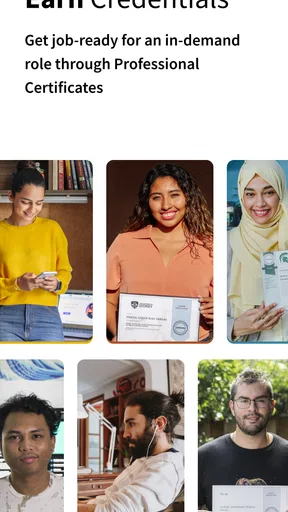
For those looking to bolster their resumes, Coursera offers certificates upon course completion. These certificates can be a valuable addition to your LinkedIn profile or CV, showcasing your commitment to continuous learning and professional development.
While not all courses are free, the investment can be worthwhile, especially if you're looking to pivot in your career or gain a competitive edge in your current field. Plus, financial aid is available for those who need it, ensuring that education remains accessible to all.
Practical details before you begin
Coursera is an education app developed by Coursera, Inc. It is free to install, carries an Everyone age rating, and its current version is 5.48.1. The app has been available since March 27, 2014, and its average rating is 4.5 from around 307,000 ratings, with about 5,600 written reviews and over 10 million installs. Those figures suggest that it has reached a broad audience, though popularity is no substitute for checking whether a particular course suits your needs.
The key budget distinction is between getting the app and paying for learning options inside it. In-app purchases range from $0.99 to $799.99 per item, so I would check the terms for the specific course, certificate, or program before committing. The app itself being free does not mean every course or credential is free. If cost matters, compare the available options carefully and make sure the learning outcome is worth the amount asked.
For a practical workflow, I would save the course page details that matter to my decision: its level, the kind of work it includes, the language, and whether I am aiming for a certificate or simply the knowledge. Then I’d set one modest weekly target and keep a note of how I might use each new idea. That final step is easy to overlook, but it turns passive viewing into a small portfolio of examples, questions, or work improvements that I can discuss later.
Where the learning handoff can fail
Online study asks the learner to manage several handoffs: from browsing to choosing, from watching to practising, and from finishing a course to applying its ideas outside the app. Coursera can support the learning sequence, but I still have to make time for the work and decide what to do with it. A course can be well taught yet remain a weak career investment if I never practise the skill or connect it to a real task.
Peer review is another trade-off worth considering. It can expose me to different approaches and make an assignment feel less isolated, but feedback from fellow learners is not the same as tailored instruction from a tutor. If I need someone to diagnose a specific mistake or coach me through a high-stakes professional task, I would look for a more direct form of support alongside, or instead of, an app-based course.
Language and accessibility also affect the experience in practical ways. Subtitles can help me follow a lecture, especially when I am learning in a second language, but they do not remove the effort of interpreting unfamiliar technical terms. I would pause to build a small glossary as I go rather than assume that replaying a video will make every concept clear. That habit is especially useful when later assignments expect me to use the vocabulary accurately.
Turning a completed course into something useful
When I finish a course, I would review the assignments and notes before adding the certificate to a CV or professional profile. A concise explanation of what I learned and how I applied it is more persuasive than a credential without context. For a work-related topic, that might mean describing a process I improved or a small project I completed; for personal learning, it might simply be being able to explain the subject more confidently.
Certificates can help show initiative, but I would not treat them as a promise of a new job, promotion, or recognized qualification in every setting. Their usefulness depends on the course, the employer or institution considering them, and the evidence of skill behind them. If a formal credential is essential for my goal, I would check that requirement directly before paying for a course.
Coursera is therefore at its strongest when I use it as a structured learning companion rather than a shortcut to expertise. It offers a broad route into subjects, useful ways to practise, and the convenience of studying across devices. The trade-off is that I have to choose carefully, protect time for the harder parts, and carry the learning into real work. If that sounds like a fair exchange, I’d give it a try; if I need immediate answers or close personal coaching, I’d choose a more direct alternative.
In conclusion, if you're on the hunt for a platform that combines quality education with flexibility and convenience, Coursera should be at the top of your list. It’s a one-stop shop for those eager to learn and grow, offering a vast array of courses that cater to every interest and career path. So why not give it a go? Your future self will thank you.
Pros
- Wide range of courses available.
- Courses from top universities.
- Flexible learning schedules.
- Access to free courses.
- Certificates for completed courses.
Cons
- Some courses can be expensive.
- Limited offline access.
- Some courses lack depth.
- Certificates might not be recognized.
- Mobile app can be glitchy.
FAQs for Coursera: Grow your career
What is Coursera: Grow your career?
Coursera: Grow your career is an educational app that offers a wide range of online courses, specializations, and degrees from top universities and companies worldwide. It is designed to help users enhance their skills, advance their careers, or even start a new one through flexible learning options.
Is Coursera: Grow your career free to use?
Coursera offers both free and paid content. Many courses are available to audit for free, allowing you to access video lectures and some course material. However, if you want to earn a certificate or access graded assignments, you typically need to pay a fee.
Can I earn a degree through Coursera: Grow your career?
Yes, Coursera offers fully accredited online degrees from recognized universities. These programs are designed to be flexible and can be completed at your own pace. They typically include coursework, assignments, and assessments similar to traditional on-campus degrees.
How does Coursera: Grow your career ensure the quality of its courses?
Coursera partners with over 200 leading universities and companies to deliver high-quality education. Courses are taught by experienced instructors and experts in their fields. Additionally, Coursera provides peer reviews and community forums for learners to engage and enhance their learning experience.
What are the system requirements for using Coursera: Grow your career?
Coursera: Grow your career is available on both Android and iOS devices. For optimal performance, it’s recommended to have the latest version of the app installed. A stable internet connection is necessary for streaming video content and accessing course materials.


